> ## Documentation Index
> Fetch the complete documentation index at: https://docs.wispera.ai/llms.txt
> Use this file to discover all available pages before exploring further.
# Foundation
> The Foundation pack is a collection of schemes and prompts that are useful for any user. It includes schemes for writing, summarizing, and more.
 ## What does the Foundation Pack contain?
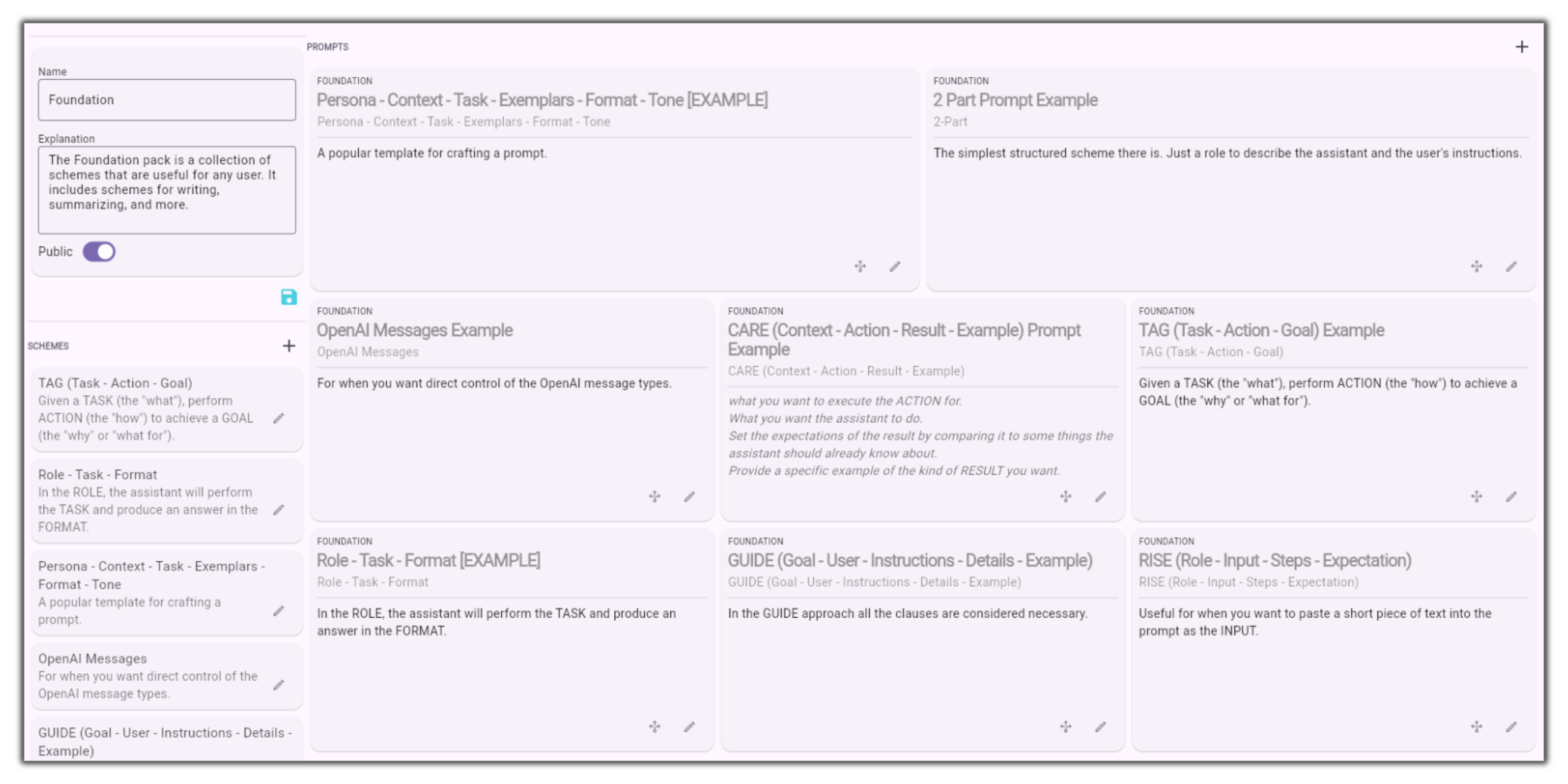
The foundation pack contains useful prompt examples from the most basic to sophisticated schemes that guide the AI towards more accurate and sophisticated answers. These can be customized to suit your needs and duplicated into your own Packs.
The simplest structured scheme there is. Just a role to describe the assistant and the user's instructions.
For when you want direct control of the OpenAI message types.
A popular template for crafting a prompt.
**Context:** Provide all necessary background information.
**Action:** Clearly define the job or task you want ChatGPT to perform.
**Result:** Explain the desired outcomes you aim to achieve from the task.
**Example:** Offer one or more examples for ChatGPT to follow.
Given a TASK (the "what"), perform ACTION (the "how") to achieve a GOAL (the "why" or "what for").
In the ROLE, the assistant will perform the TASK and produce an answer in the FORMAT.
In the GUIDE approach all the clauses are considered necessary.
Useful for when you want to paste a short piece of text into the prompt as the INPUT.
## 2 Part Prompt Example
To Do.
## OpenAI Messages Example
To Do.
## Persona - Context - Task - Exemplars - Format - Tone
To Do.
## CARE (Context - Action - Result - Example)
To Do.
## TAG (Task - Action - Goal) Example
To Do.
## Role - Task - Format
To Do.
## GUIDE (Goal - User - Instructions - Details - Example)
To Do.
## RISE (Role - Input - Steps - Expectation)
To Do.
## What does the Foundation Pack contain?
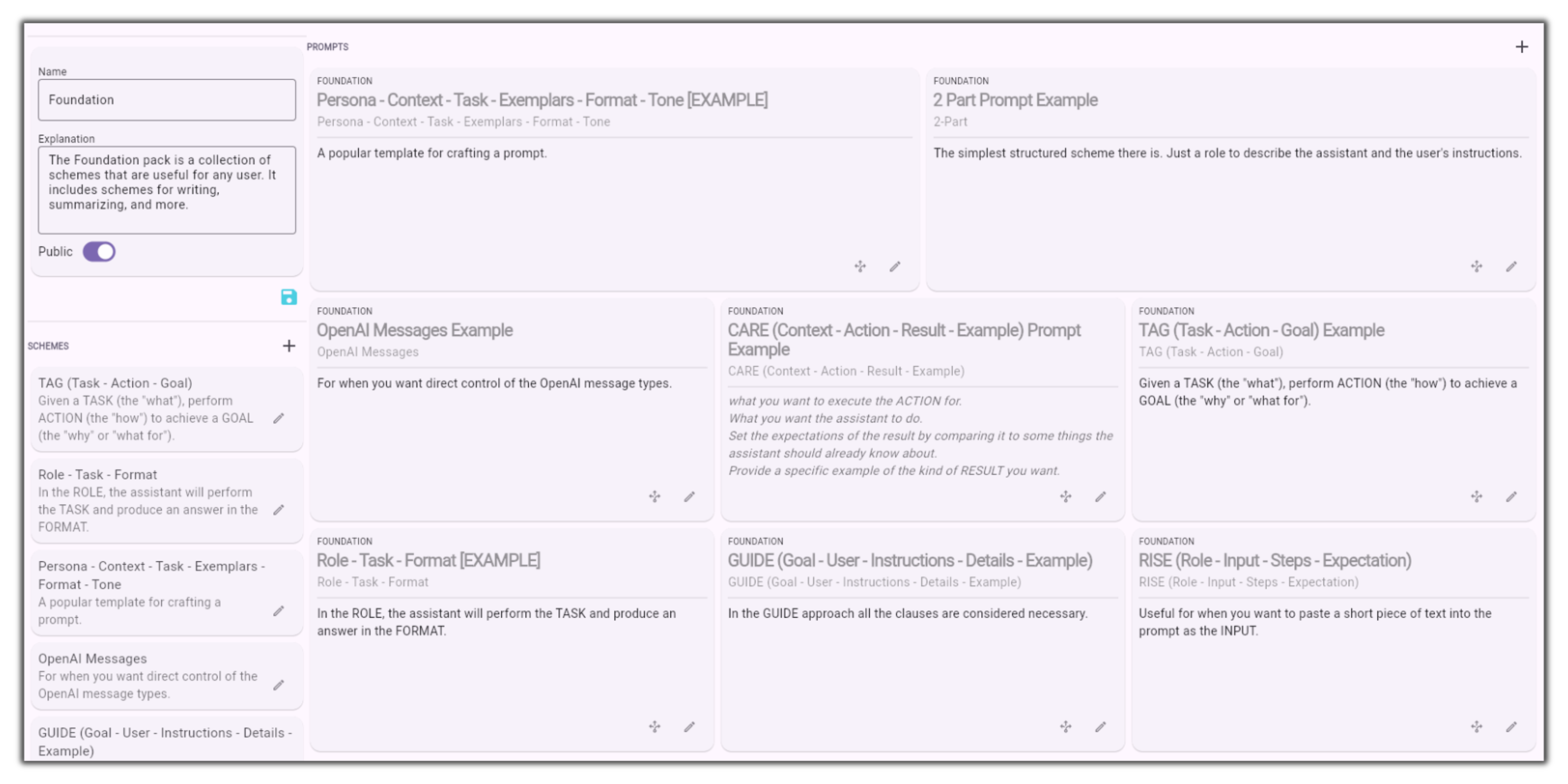
The foundation pack contains useful prompt examples from the most basic to sophisticated schemes that guide the AI towards more accurate and sophisticated answers. These can be customized to suit your needs and duplicated into your own Packs.
The simplest structured scheme there is. Just a role to describe the assistant and the user's instructions.
For when you want direct control of the OpenAI message types.
A popular template for crafting a prompt.
**Context:** Provide all necessary background information.
**Action:** Clearly define the job or task you want ChatGPT to perform.
**Result:** Explain the desired outcomes you aim to achieve from the task.
**Example:** Offer one or more examples for ChatGPT to follow.
Given a TASK (the "what"), perform ACTION (the "how") to achieve a GOAL (the "why" or "what for").
In the ROLE, the assistant will perform the TASK and produce an answer in the FORMAT.
In the GUIDE approach all the clauses are considered necessary.
Useful for when you want to paste a short piece of text into the prompt as the INPUT.
## 2 Part Prompt Example
To Do.
## OpenAI Messages Example
To Do.
## Persona - Context - Task - Exemplars - Format - Tone
To Do.
## CARE (Context - Action - Result - Example)
To Do.
## TAG (Task - Action - Goal) Example
To Do.
## Role - Task - Format
To Do.
## GUIDE (Goal - User - Instructions - Details - Example)
To Do.
## RISE (Role - Input - Steps - Expectation)
To Do.