

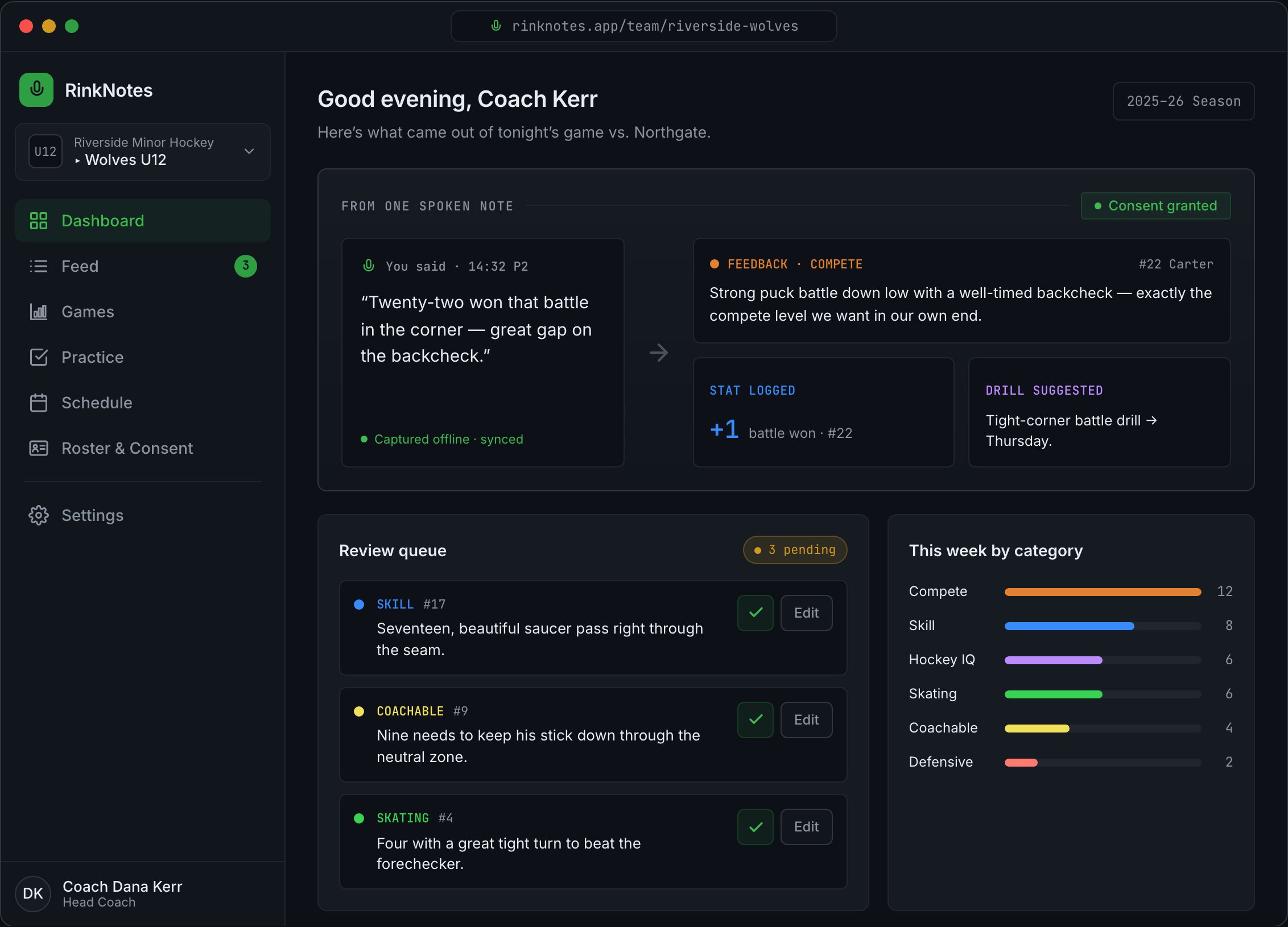
The desktop coach workspace. The sidebar holds Dashboard, Feed, Games, Practice, Schedule, Roster & Consent, and Settings.
The three outputs
Player feedback
Short development summaries in plain language — strengths and focus areas per player.
Game stats
Counts pulled from what you said — blocked shots, goals, draws won, and so on.
Action items
What to work on next practice, drawn from your notes.
Where to find them
On the desktop web workspace, the left sidebar has:- Dashboard — a snapshot: captures this week, what’s waiting for your review, this week’s categories, and the players to focus on. Toggle between Overview and Focus.
- Feed — the live review stream (see Review the feed).
- Games — stats grouped by game session, with a scoresheet for each game.
- Practice — your action items (“what to work on”), each with a checkbox to mark done.
- Schedule — upcoming games, practices, and team events, with who’s coming (RSVPs). See Schedule the team.
- Roster & Consent — your roster, consent status, and each player’s feedback. Tap a player to open their development summary and open focus areas.
- Settings — team settings, staff & roles, and the observation categories.
On the iOS app, these live under the bottom tabs Capture · Feed · Roster · Insights.
Games and Practice are shown under Insights; a player’s feedback opens from Roster.
Per-player feedback lives under Roster & Consent — tap a player to read it. There is no
separate “Players” tab.
The scoresheet
Under Games, each game session has a scoresheet assembled from your notes:- the final score,
- a scoring summary with goals and assists,
- penalties (infraction and minutes),
- and goaltending lines (saves, goals against, save %).
Outputs appear after a coach confirms the underlying notes. If a player’s feedback looks
empty, check the Feed for notes still waiting on review.